Annotate images. Train better models.
A focused macOS app for building object-detection datasets: boxes, polygons, pixel masks, and model-assisted labeling, all on your Mac. No accounts. No cloud. No Python dependencies. Fully offline.
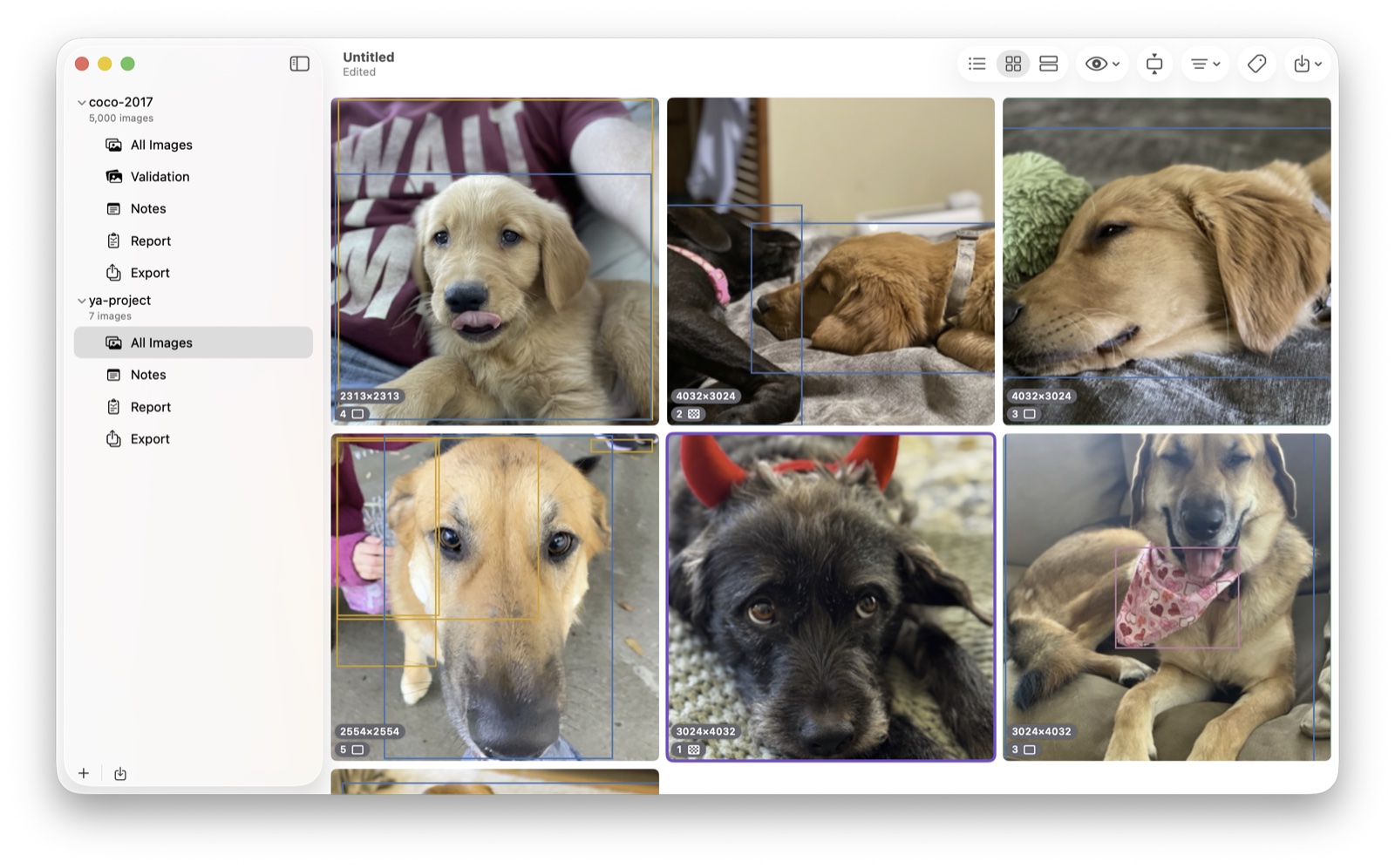
Everything you need to label a dataset well
Draw it exactly the way you mean it
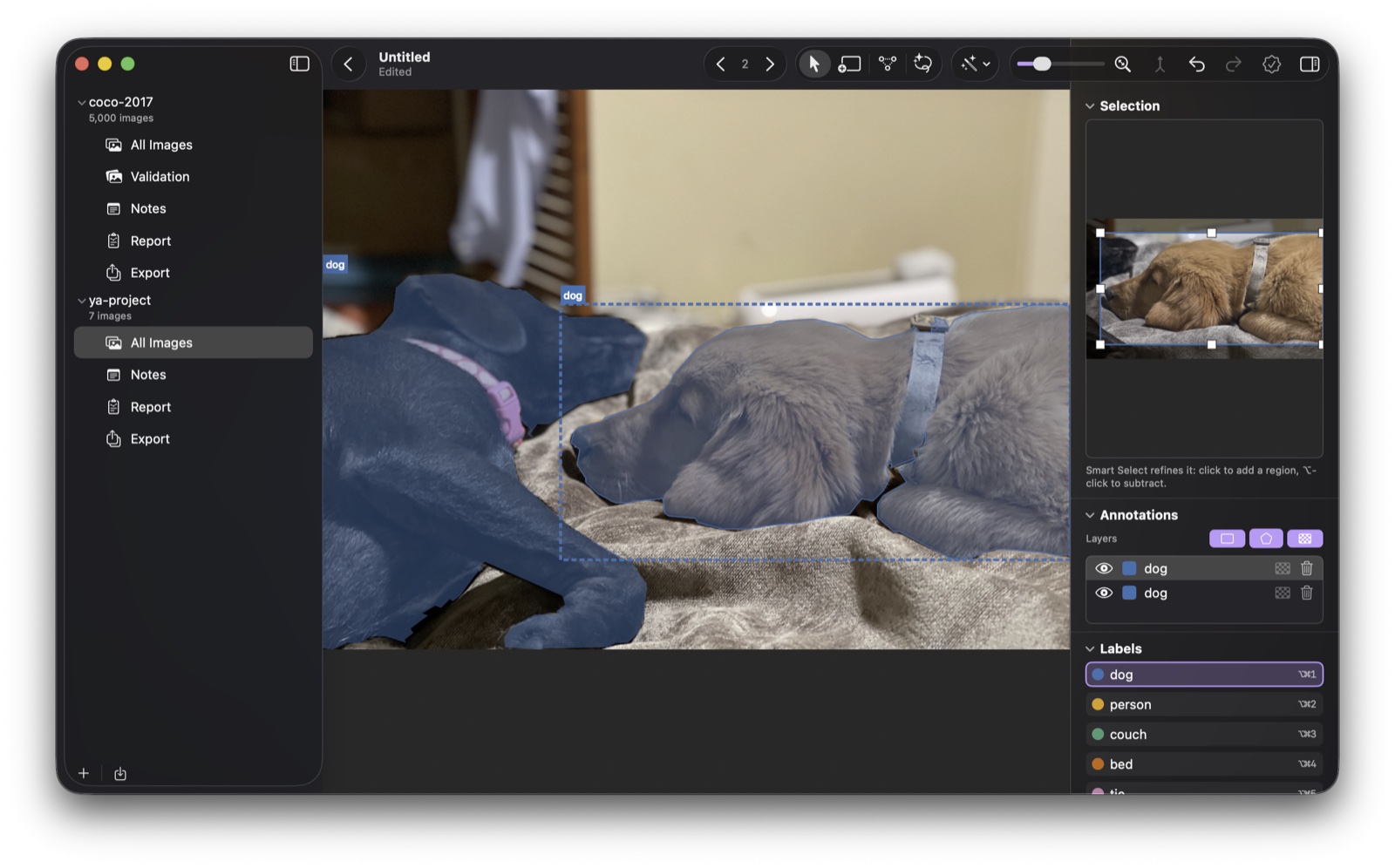
Boxes, polygons, rotated boxes, and exact pixel masks on a fast AppKit canvas with zoom, pan, and snapping. Drag handles, add and move polygon vertices, combine annotations, and undo anything, all without leaving the keyboard.
- Select, Box, Polygon & Smart Select tools
- Canvas layers: show or hide boxes, polygons, and masks independently
- Per-annotation label + confidence in the inspector
- Full undo/redo and review flags
Let the model do the first pass
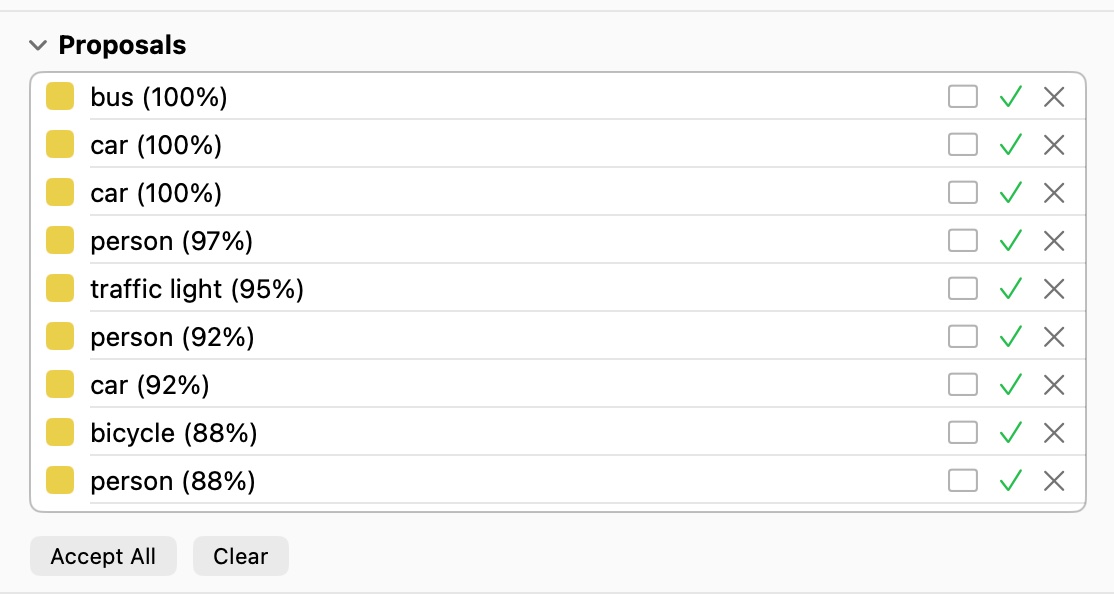
A built-in RF-DETR detector and Apple's Vision framework get you started instantly. Bring your own Core ML detectors (including RF-DETR raw tensors) with class mapping and confidence tuning. Or click to segment with SAM2 Smart Select, and run any detector over a whole selection of images at once.
- Built-in RF-DETR object detector (80 common classes)
- Built-in Vision detectors, including Detect Subjects polygons
- Built-in SAM2 Smart Select: click to trace a polygon or mask
- Batch detection across a multi-selection of images
- Download and use Custom Core ML & RF-DETR detectors
Know your dataset before you train
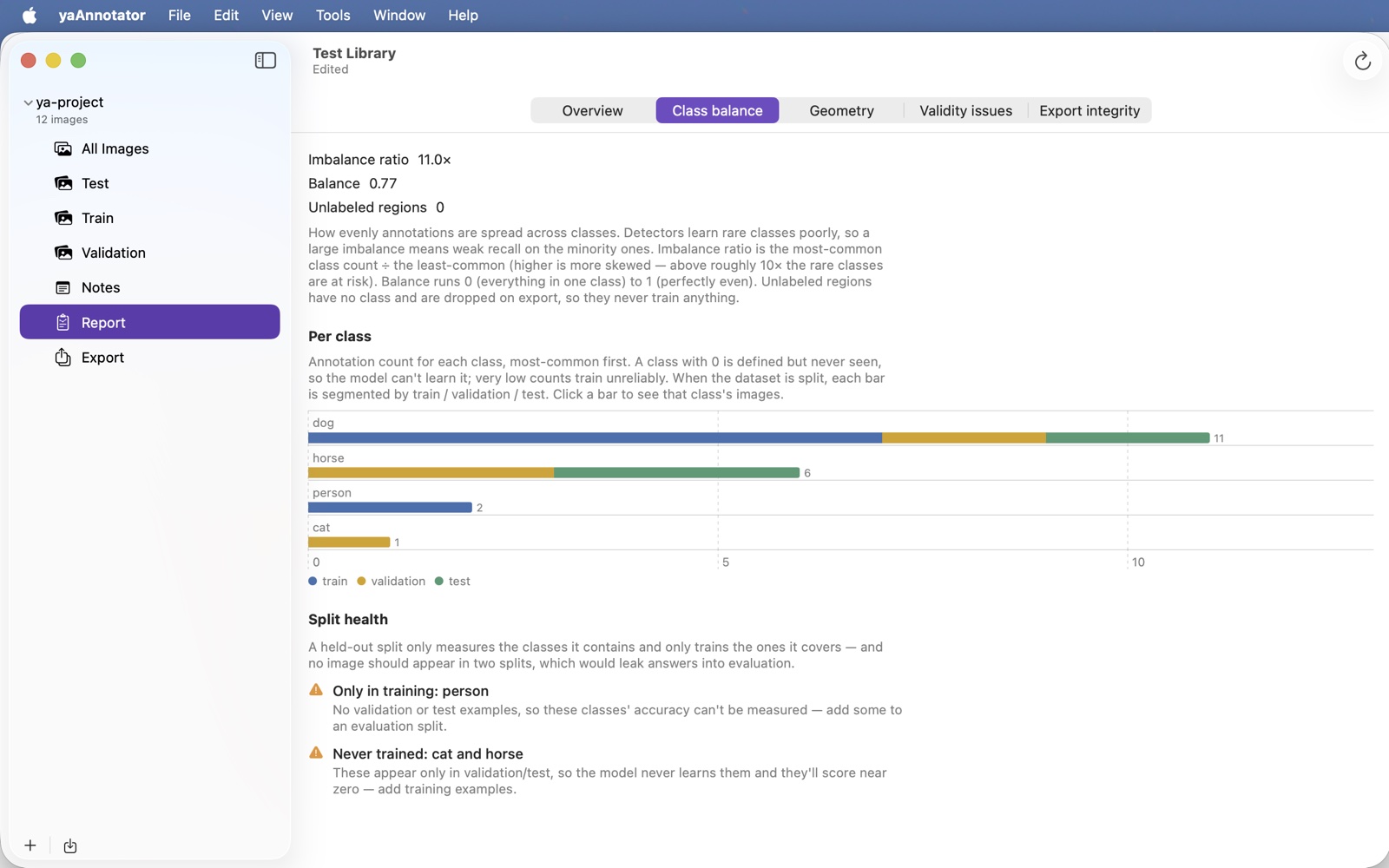
The Analyze Annotations report surfaces class balance, rare-class flags, geometry charts, validity checks, and duplicate images caught by perceptual hashing, even across splits. Every chart is clickable and filters the image list, and mechanical problems come with one-click fixes.
- Class balance & rare-class detection
- Duplicate & cross-split leakage detection
- Near-duplicate cleanup that keeps the best copy per group
- Clickable Swift Charts that filter your images
Round-trips with the rest of your stack
Import and export COCO, YOLO, CreateML, CVAT, and Pascal VOC, as full datasets or per-split. Pixel masks round-trip bit-for-bit as COCO RLE, with optional per-image PNG mask sidecars. Nothing degrades silently.
Yours, and only yours
Sandboxed and fully offline, with no accounts and no telemetry. Images are referenced in place by security-scoped bookmark. Never copied, never uploaded.
Shape bigger, better datasets with Pro
Every part of labeling is free: importing, annotating, the Report, and exporting to every format. Pro is a one-time purchase that unlocks the dataset-shaping extras and lifts the project limit.
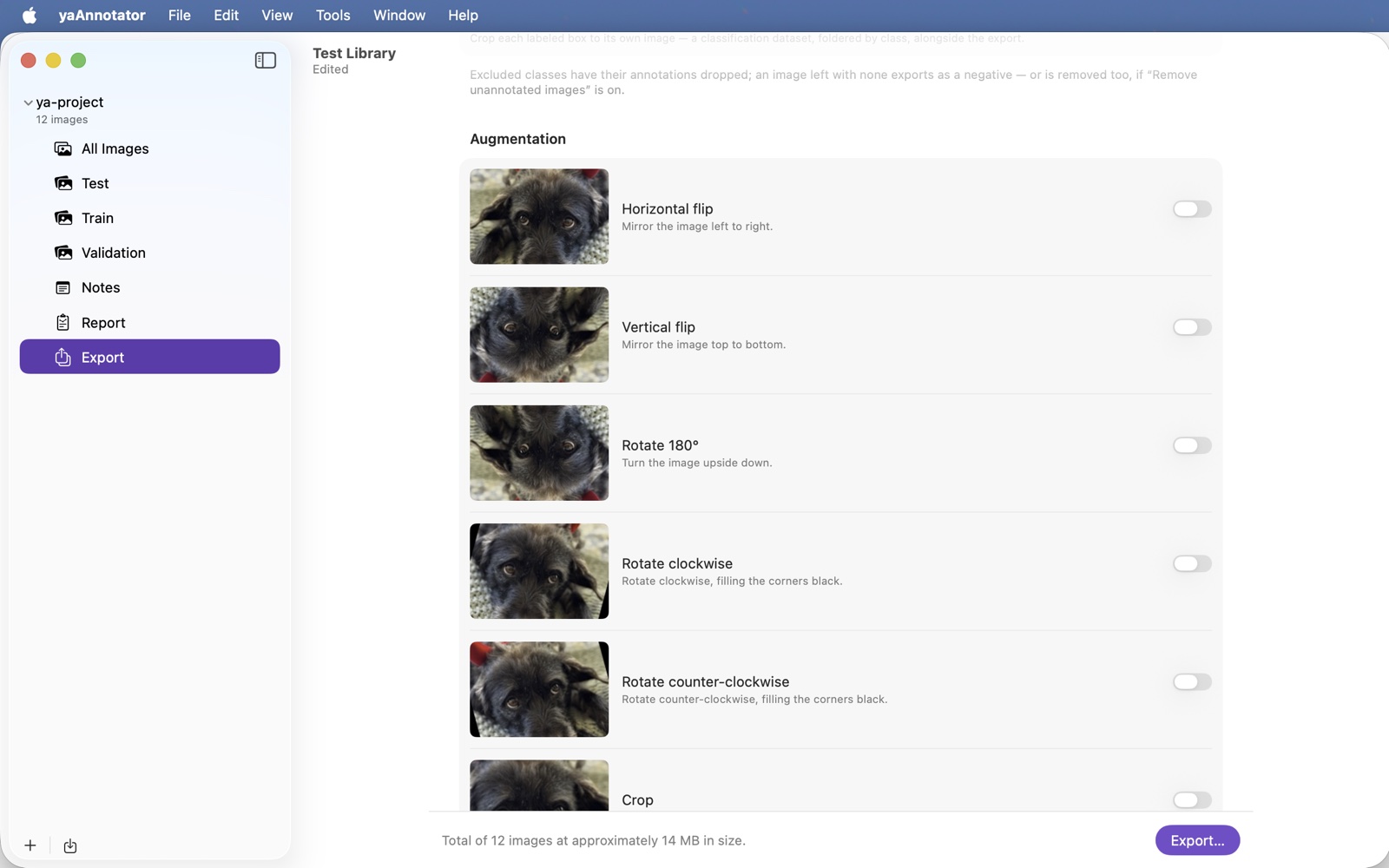
- Augmentation on export: generate extra training copies (flips, rotations, crops, photometric and blur effects), with every box and polygon moved to match.
- Pixel mask creation: create and refine exact pixel masks with Smart Select. Viewing, converting, importing, and exporting masks stays free.
- Video frames import: extract any range of a video into annotation-ready frames, with a live frame count and size estimate.
- Isolate objects: turn labeled boxes into a foldered-by-class classification dataset.
- Export presets: save a whole export recipe and reuse it across a library in one click. (Three built-in presets are free for everyone.)
- Unlimited projects: the free tier holds two projects per library; Pro removes the cap.
And, honestly, a warm fuzzy feeling. Keeping an app fast with thousands of images is real work, and even a small handful of people going Pro is a huge morale boost. Thank you.
| Feature | Free | Pro |
|---|---|---|
| Annotation editor: boxes, polygons, rotated boxes, Smart Select | ✓ | ✓ |
| Model-assisted labeling: RF-DETR, Vision, SAM2, custom Core ML detectors | ✓ | ✓ |
| Import & export: COCO, YOLO, CreateML, CVAT, Pascal VOC, incl. pixel masks | ✓ | ✓ |
| Analyze Annotations report, incl. near-duplicate cleanup | ✓ | ✓ |
| Built-in export presets | ✓ | ✓ |
| Fully offline & private: no accounts, no telemetry | ✓ | ✓ |
| Runs on macOS 15.0 or later | ✓ | ✓ |
| Projects per library | 2 | Unlimited |
| Augmentation on export | – | ✓ |
| Pixel mask creation & refinement with Smart Select | – | ✓ |
| Video frames import | – | ✓ |
| Isolate objects → classification dataset | – | ✓ |
| Save your own export presets | – | ✓ |
Build your next dataset on your Mac
Download yaAnnotator from the Mac App Store and start labeling in minutes. No sign-up, no setup, no subscription.
Download on the Mac App Store